February 2026 Meeting: APRS Gateway Services with Jeff, W2JCL

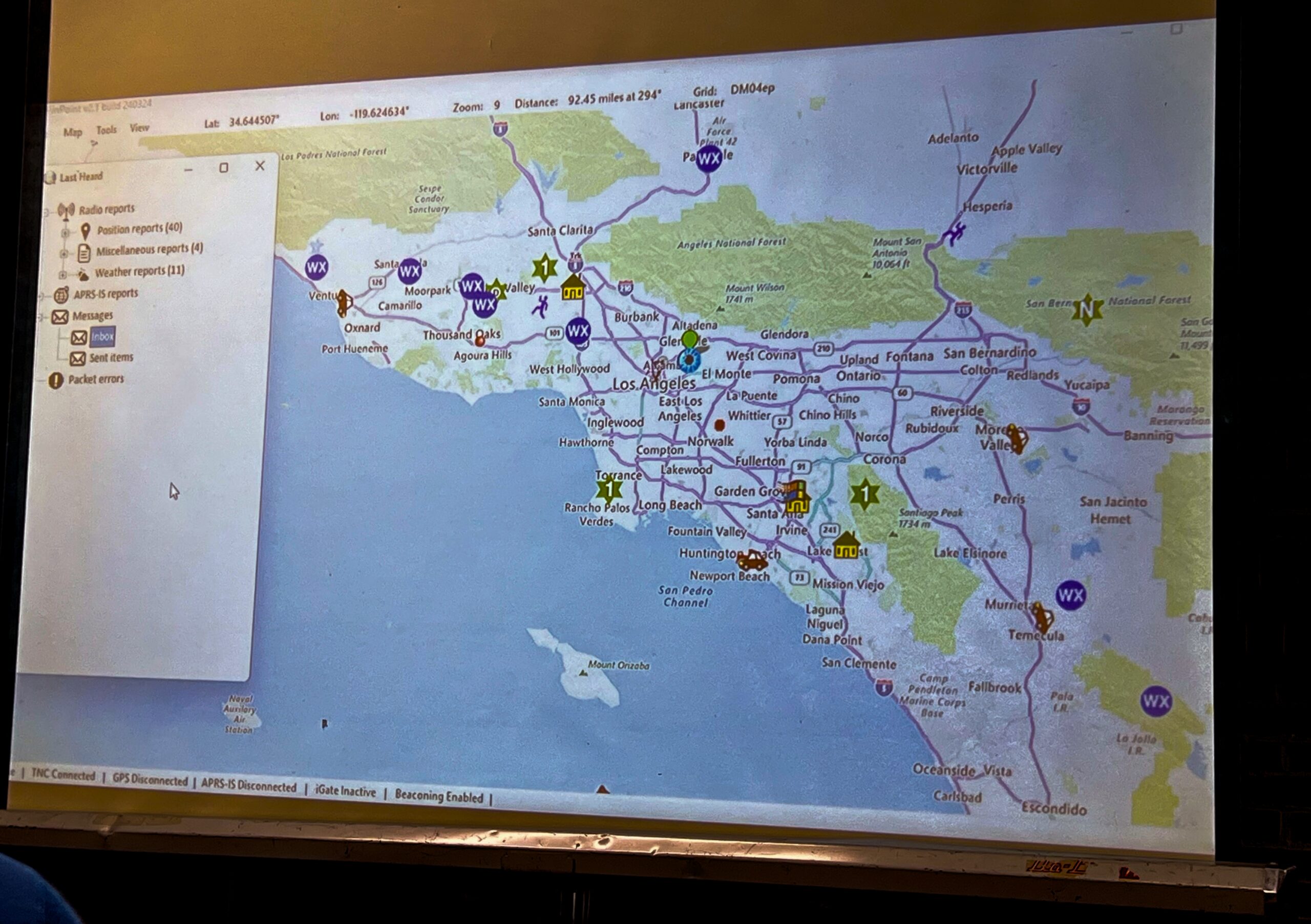
A screen onto which a projector displays the Windows program PinPoint APRS. There is a map of Southern California.
Live packets decoded by PinPoint APRS are projected onto a screen.

At our February meeting, SPARC’s vice president Jeff Liter, W2JCL gave a presentation on extra features available within APRS (the Automatic Packet Reporting System). These features are called gateway services because they are managed through computer gateways that transmit data over APRS.

WXBot is a service which sends you weather data on request. By messaging specific commands to WXBot, you can control what information the service sends back.

With APRS to SMS you can send a message to someone’s phone even when you are out of cell range. APRS carries your message via radio to a gateway and then out to the internet for delivery. In order to send a message via this gateway successfully, your recipient must opt in at the site linked above.

There are also gateway services which allow you to communicate with WhatsApp, spot yourself for SOTA activations, send short emails, or interact with your Winlink account. However, Jeff warned that the Winlink service is not user friendly.

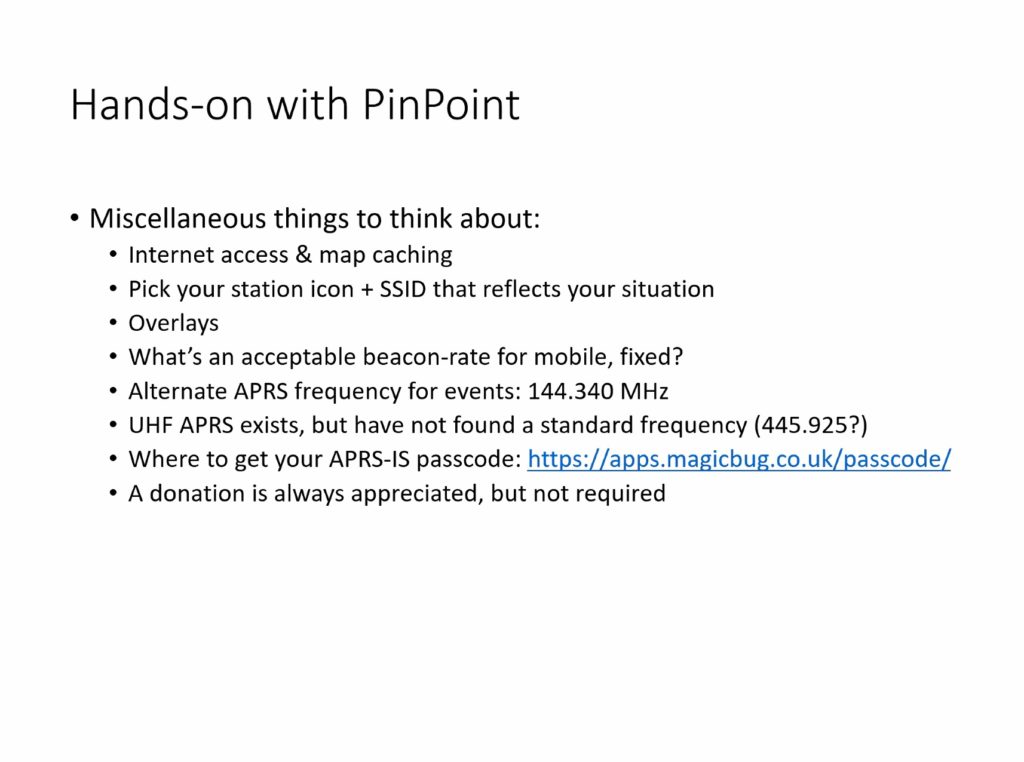
Gateway services must use the national APRS frequency of 144.390 and transmit via AX.25 packet as opposed to protocols like VARA FM. They are run by volunteers, and many provide donation links so users can help cover the cost of their operation.

To access APRS, you need a 2m radio and a way to interface that radio with a laptop, phone, or tablet. Jeff demonstrated PinPoint APRS running on his Windows laptop with SoundModem, a software TNC. On iOS, the most common app to use is APRS.fi, and on Android it is APRSDroid.

Laptops typically require an external sound card connecting the radio and the computer. Jeff recommended the compact offerings from DigiRig for both laptop and phone/tablet use.  He demonstrated an iPad running APRS.fi which only required an audio connection to the radio because the app handled the TNC function by itself.

Below are the slides from Jeff’s presentation.
January 2026 Meeting — Meshtastic Update with Tom, KE6SRO

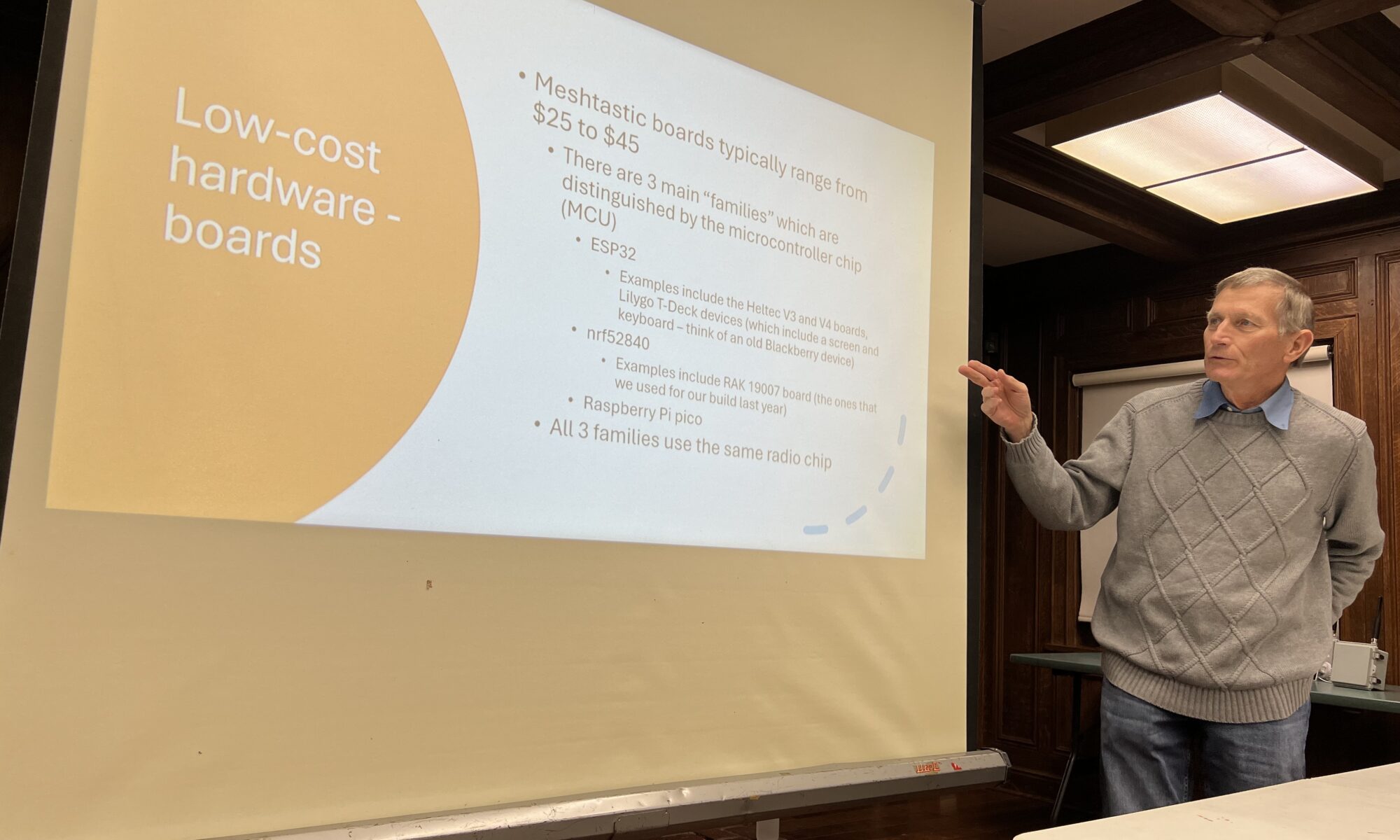
Tom, KE6SRO with a slide about Meshtastic hardware options

SPARC president Tom Bruegge, KE6SRO led our first meeting of the year and gave a presentation on how to improve the performance of our Meshtastic nodes.

Many club members who deployed Meshtastic devices last year were frustrated at their inability to connect with other SPARC nodes and the unpredictability of the local Meshtastic network. Tom explained several specific factors which influence Meshtatic’s network topography. Changing certain settings within the Meshtastic app may increase the likelihood of a good connection. But the most important factor is updating your node’s firmware to the latest version. Tom followed up his presentation with advice on the firmware update procedure:

The simplest way to do this is to go to the Meshtastic website. Once there, you can choose your device, choose the firmware version, and then flash.  If you have one of the RAK boards that we purchased as a group last year, you should choose “RAK WisBlock 4631” as your device type.  I would suggest leaving the firmware to the default of the latest stable release (which, is actually a stable beta — there never seems to be anything that they call a final release, just alpha and beta versions of the software). 

Once you’ve chosen the device and the firmware version, you can just flash the device directly from the web browser.  One caveat is that this web flasher does require that your browser be a “Chromium” based browser.  Examples are Google Chrome and Microsoft Edge browsers.  Apple’s Safari and Firefox will not work with the web flasher. 

In order to flash the device, you’ll need to connect the device to your computer using a USB cable (USB-C on the device end).  You also need to make sure that the device is in its “DFU” mode.  (I don’t know what that stands for, but basically, this is the state that the device needs to be in so that the new firmware can be uploaded.)  How this is done varies by device.  For the RAK 4631, a quick double press of the reset button after connecting the device to the computer via USB should do the trick.

Finally, it’s really important that you have a good-quality USB cable to attach the device to your computer.  I know that I tried several cables before I got one that worked well.  (Many USB cables are only useful for charging, not for data transfer.)

Tom, KE6SRO with a slide demonstrating how elevation affects Meshtastic connections.

Tom concluded with an overview of MeshCore, an alternative to Meshtastic that uses different algorithms and device classes. MeshCore works on much of the same hardware as Meshtastic, including the nodes we purchased as a club last year. While the MeshCore network in our area is not as robust as Meshtastic’s, it is sufficient for experimenting and comparing performance. MeshCore also uses an app and browser-based web flasher.

Tom’s full presentation is embedded below.

October 2024 Meeting: AREDN and Meshtastic

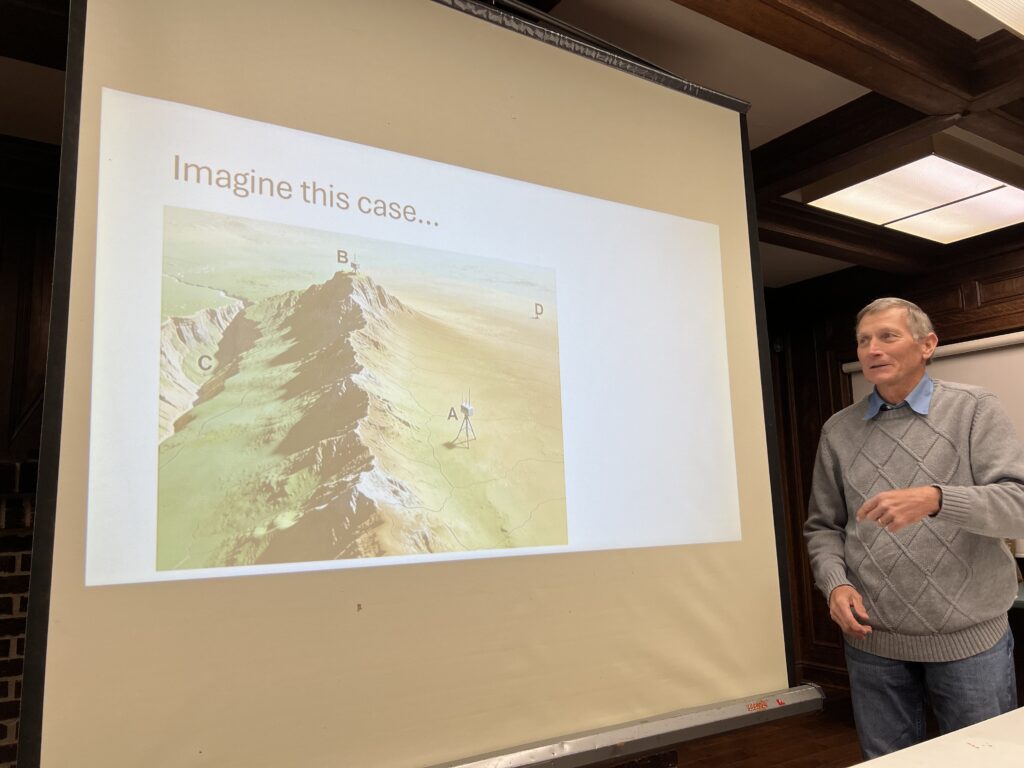
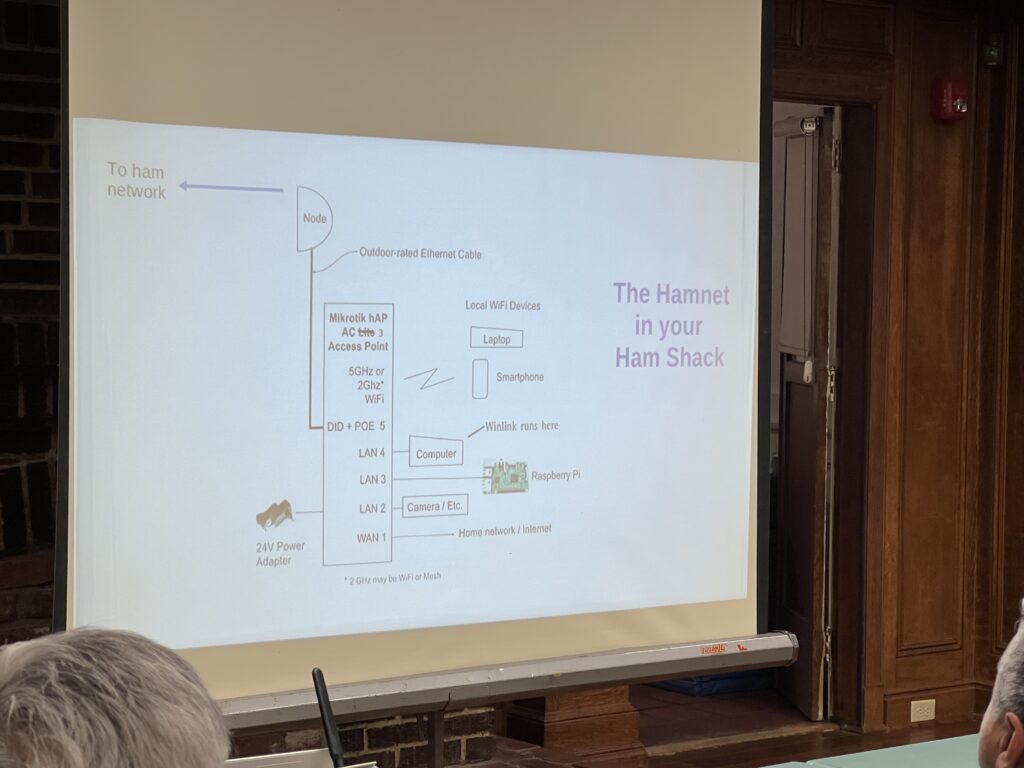
Slide explaining the components of an AREDN mesh node

At our October 2 member meeting, we discussed two popular forms of mesh networking. For those unfamiliar with it, mesh networking is essentially Wi-Fi over amateur radio or unlicensed frequencies.

First, Orv Beach, W6BI discussed the current state of AREDN, the Amateur Radio Emergency Data Network. Orv lives in Simi Valley and volunteers as an AREDN Ambassador. He helps coordinate the deployment and maintenance of AREDN in Southern California, from Paso Robles to the Mexican border and east to Las Vegas. He explained the basic requirements of setting up an AREDN node and provided examples of the many services one can run on the network. For example, live video feeds on AREDN have helped state officials track wildfire activity. The AREDN software was just updated, and Orv detailed some of its improvements.

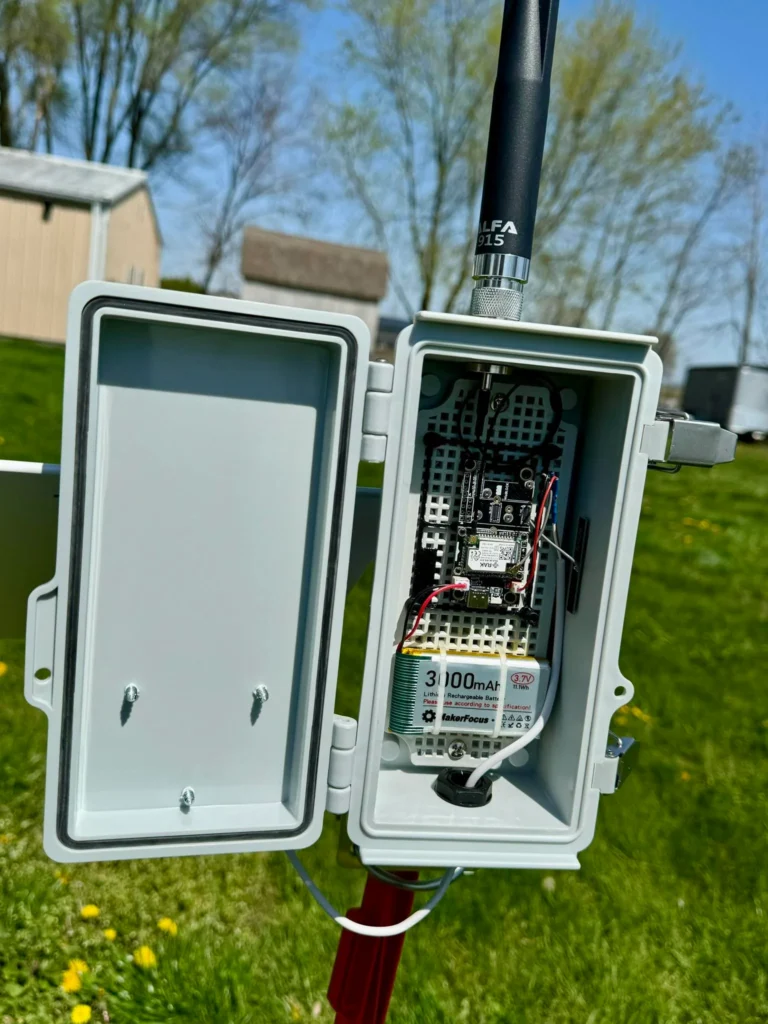
Example of an outdoor Meshtastic node

Next, SPARC member Adrian Pinedo, KN6MHG discussed his experiments with Meshtastic, a low-power form of mesh networking that doesn’t require a ham license to use. Meshtastic runs on relatively inexpensive nodes — often sold as kits — and is accessed with a phone app. During an emergency, Meshtastic can allow a neighborhood, or even a whole city, to maintain simple text communications.

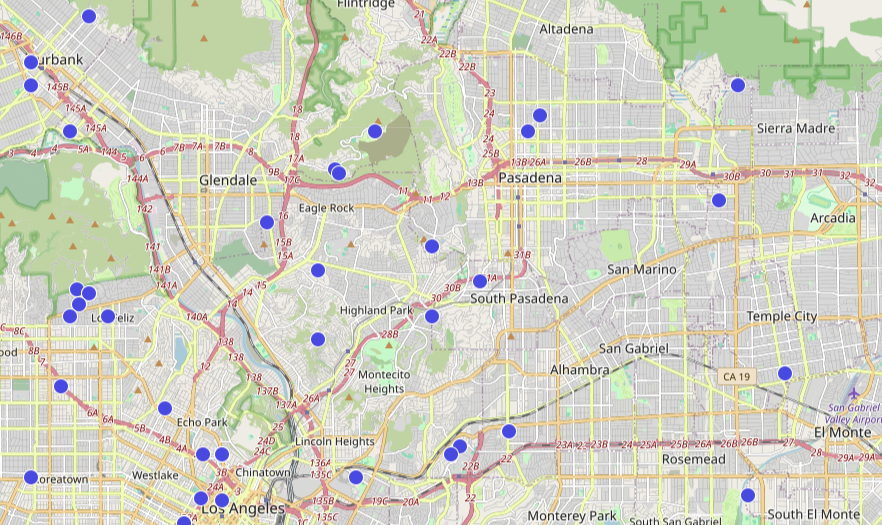
Map of Meshtastic nodes near South Pasadena

In addition to the main Meshtastic website, Adrian recommended other resources including SoCalMesh.org, Liam Cottle’s mesh map, and the Rokland store.

Based on member interest, SPARC may have a Meshtastic group build and hopefully deploy a local network. If you’re interested in participating, join our mailing list for updates.

Below is a copy of Adrian’s presentation.

Participate in the Great Shakeout with Winlink on October 19, 2023

September is National Preparedness Month, so now is a great opportunity to get ready for the Great Shakeout, the world’s largest earthquake preparedness exercise. SPARC member, and ARES LAX Northeast District Emergency Coordinator, Oliver Dully, K6OLI has written a guide to using Winlink’s built-in “Did You Feel It?” form during the Shakeout.

Send Winlink DYFI (“Did-you-feel-it?”) Exercise reports with your group. We encourage you to send reports with Modified Mercalli Intensity V (5) or greater.

Step-by-Step Winlink USGS DYFI Instructions
=> Winlink USGS DYFI Exercise Youtube Video
=> Winlink USGS DYFI Exercise Instructions (Downloadable)
=> Winlink USGS DYFI Example Report with point-by-point answers indicating an earthquake with Modified Mercalli Intensity V. If you have never experienced an earthquake you may use the example answers (or make up your own).

Read Oliver’s full article here. Preparedness will be the topic of our next monthly membership meeting on October 4.

September 2023 Meeting: Checking in with Winlink

At our September 2023 member meeting, we learned about the latest features of Winlink from Jeff, W2JCL. In his role as Assistant District Emergency Coordinator for ARES LAX Northeast, Jeff uses Winlink extensively and stays apprised of its development.

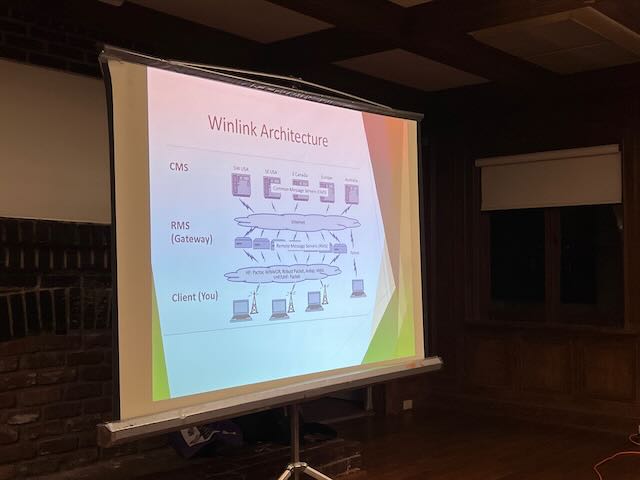
Winlink is an email client and a network infrastructure for sending email over amateur radio frequencies. It is especially useful in emergency communications because its robust error correction ensures critical information is sent exactly as intended.

Slide from Jeff, W2JCL’s presentation

Anyone interested in learning about Winlink should visit the official site at Winlink.org. More resources are linked on our Winlink project page, and you can read an earlier presentation from Jeff here (274 KB PDF).

August 2021 Meeting: Raspberry Pi in the Shack

At our August monthly membership meeting — yes, six months ago, sorry — SPARC welcomed Jason Oleham, KM4ACK, the creator of Build-a-Pi. If you’re thinking about using a Raspberry Pi as your shack computer, Jason’s Build-a-Pi script can install many of the most popular ham radio apps and utilities automatically. Jason’s YouTube channel is a great source of information about Raspberry Pi, field operations, EmComm and digital modes. SPARC thanks Jason for speaking with us and for sharing his work with the entire ham community!

May 2021 Meeting: Using PinPoint APRS

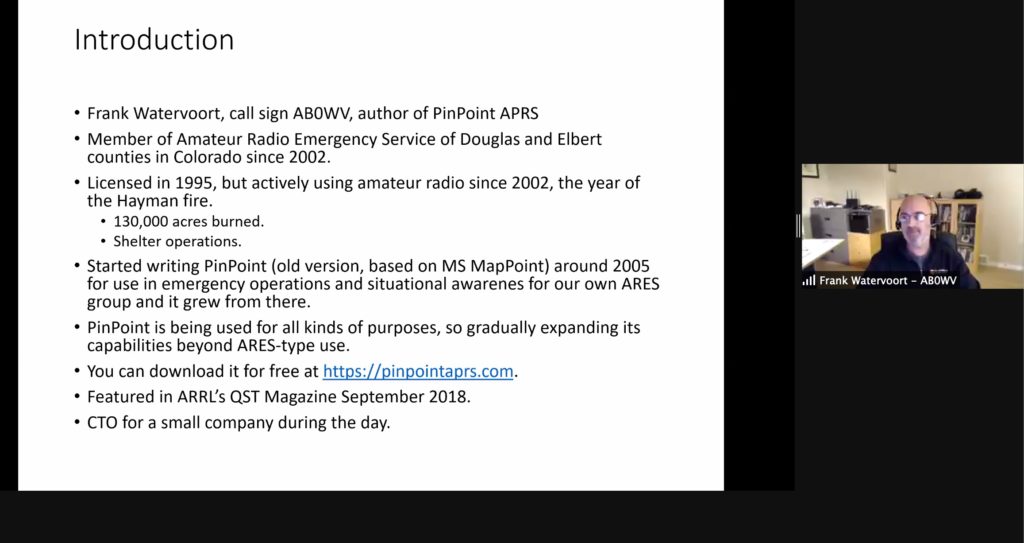
SPARC welcomed Frank Watervoort, AB0WV, to its May 5, 2021 membership meeting. Frank is the developer of PinPoint APRS, a Windows client for the automatic packet reporting system. PinPoint APRS has been adopted by our local ARES LAX Northeast as a useful tool for maintaining situational awareness and sharing location information.

Frank explained the hardware requirements for using APRS with PinPoint or other software clients like APRSDroid. Devices manufactured by Kantronics, Byonics, and MobilinkD can bridge your computer or smartphone and your radio to send and receive APRS data. Certain radios, like the Kenwood D700 series, have APRS decoders built-in.

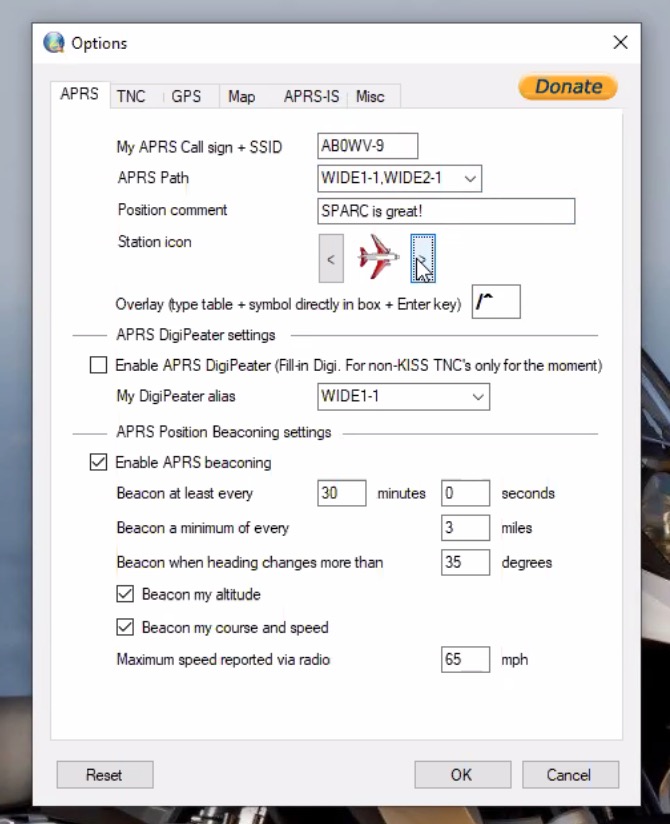
A shout out to SPARC in the position comment
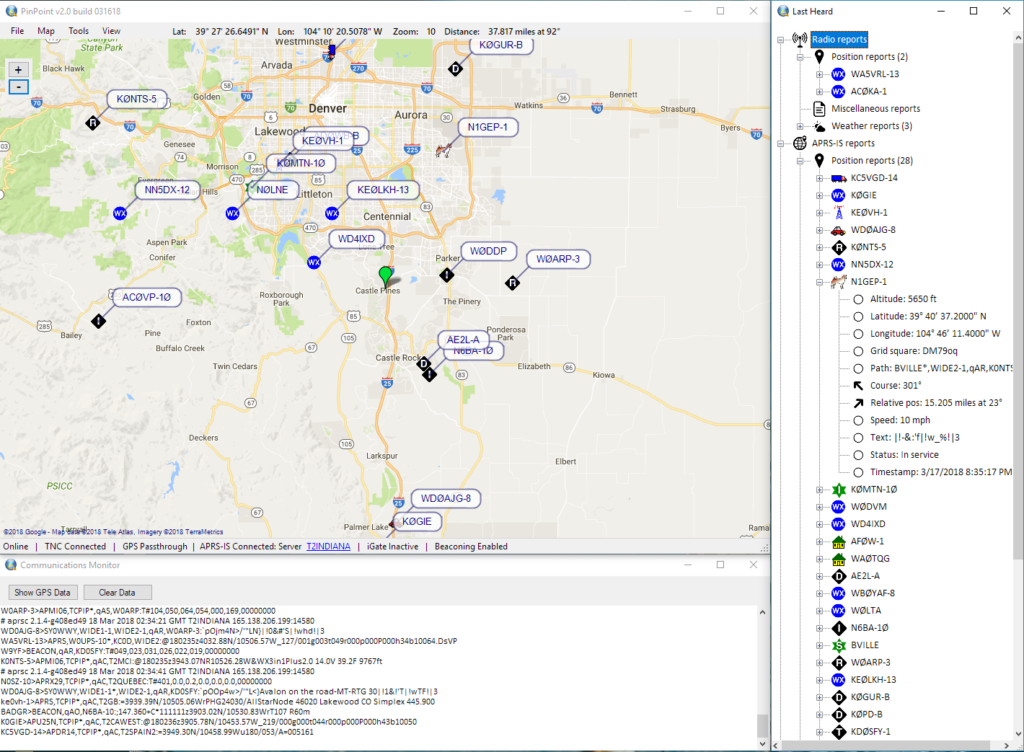
The user interface of PinPoint APRS

Frank gave a detailed tour of PinPoint’s capabilities and encouraged everyone to explore APRS through such activities as public safety exercises and SOTA activations.

SPARC thanks Frank for his time and effort in maintaining this excellent program.

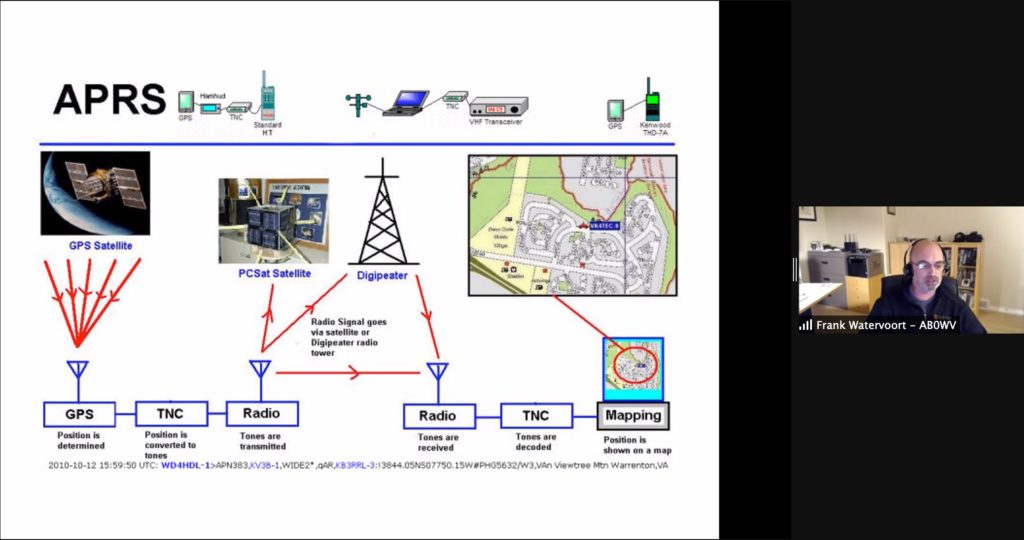
How APRS works

February 2021 Meeting: State of the Hobby and a Digital Net How-To

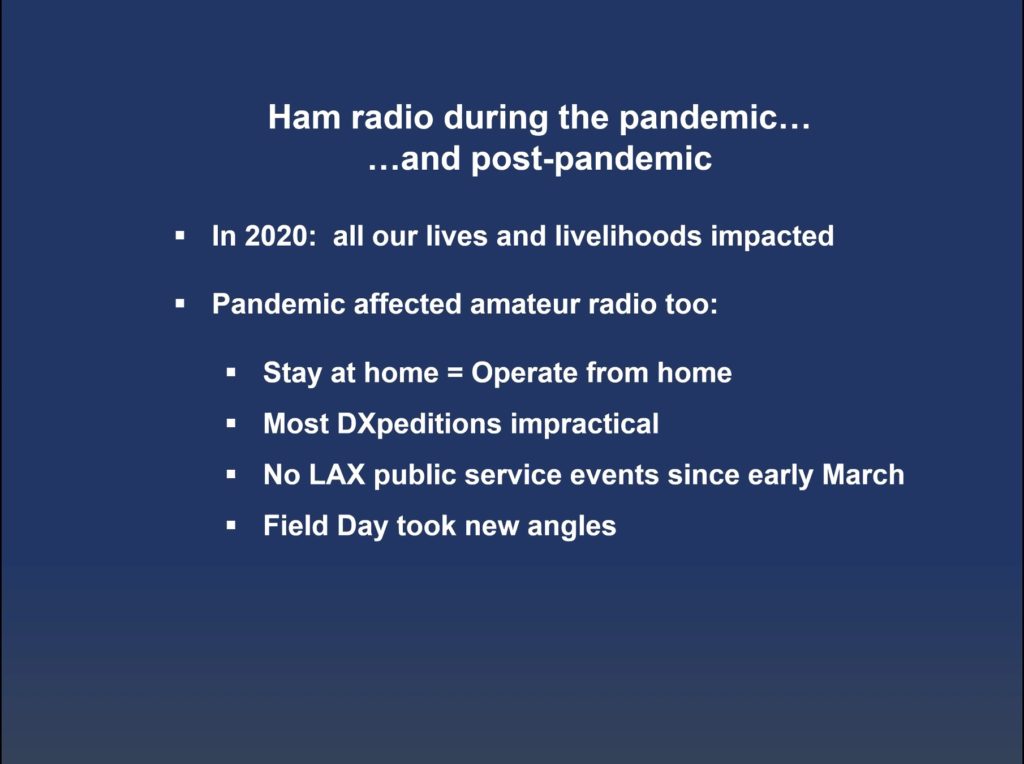
ARRL Los Angeles Section Manager Diana Feinberg, AI6DF, was the featured speaker at our February 3, 2021 membership meeting. Diana reported on the state of the League and reflected on how the pandemic has affected ham radio more generally.

After Diana’s presentation, Jeff Liter, W2JCL, explained how to participate in a digital Winlink net.

Thirty minutes before the net:

  • Turn on your radio and your TNC or soundcard.
  • FOR PACKET: Start the software modem Soundmodem. Check that your computer’s soundcard is set to “USB audio codec.” Check your settings by tuning to the APRS national frequency of 144.390 MHz.
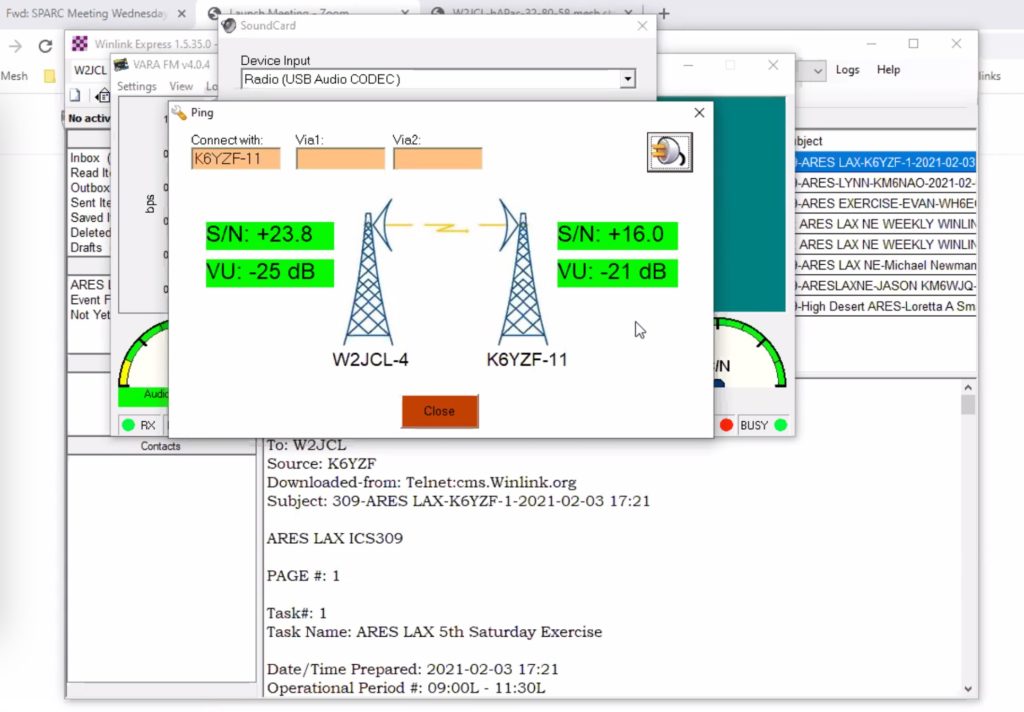
  • FOR VARA FM: Start VARA. Check that your comptuer’s soundcard is set to “USB Audio codec.” Check your settings by tuning to the SoCal VARA FM Autobahn at 145.030 MHz. Send a ping.
Sending a ping from within VARA FM
  • Tune to the frequency of the digital net exercise.
  • Open Winlink. You don’t have to open and close Winlink session during the exercise, it’s fine to set it up ahead of time.
  • Be sure to open the right kind of session: Peer to Peer or Gateway (use the switch button if necessary).
  • Select your template.
  • Fill it out.
  • Go back to Winlink and make sure the “Send As” is correct for your session.
  • Wait for net control to signal you to send.

Winlink can be an incredibly efficient means of communication. During a recent net, Jeff moved almost 100 Winlink peer-to-peer messages in under 2 hours.

November 2020 Meeting: Station Building Part 2 and Winlink Templates

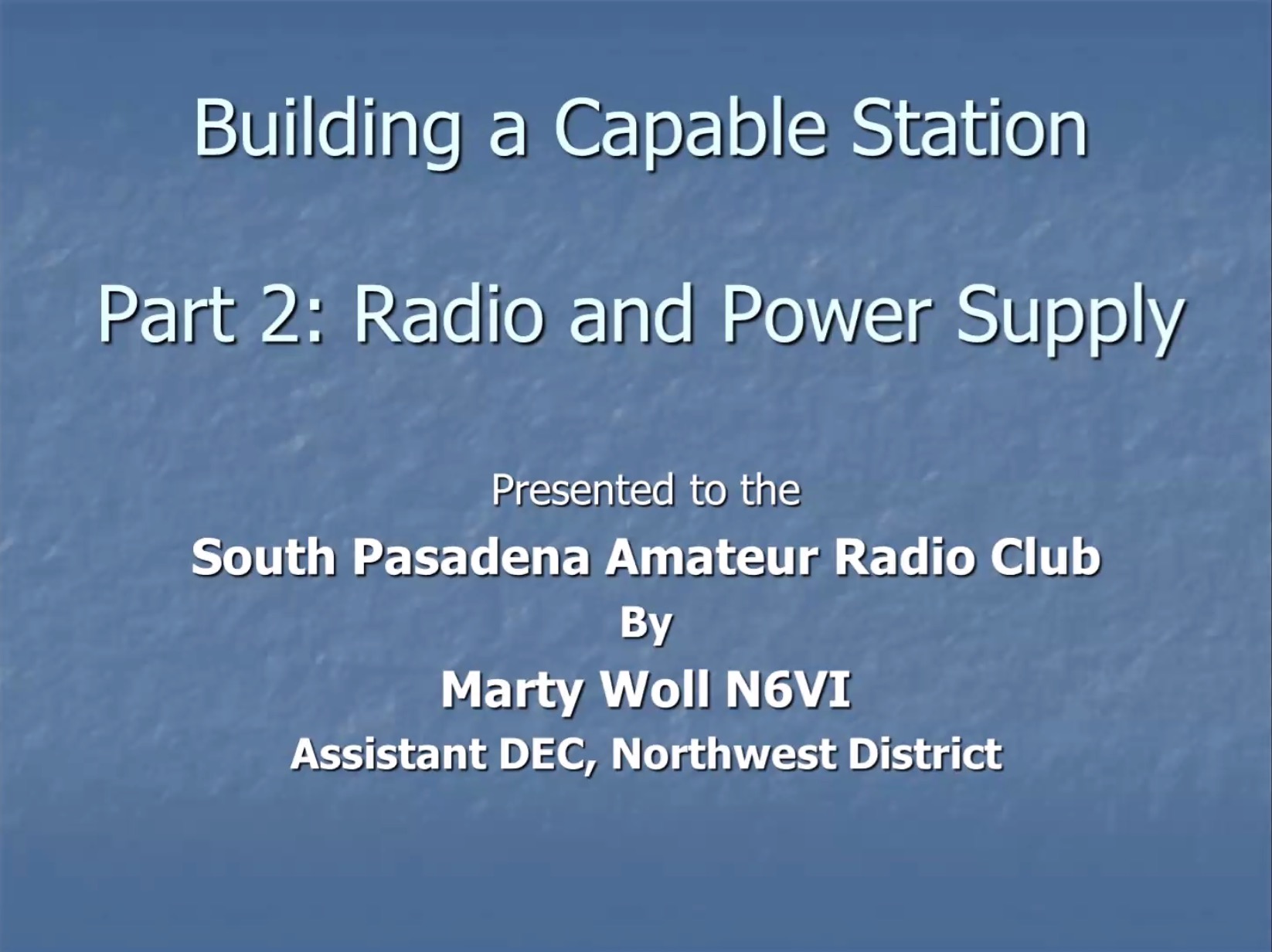
During our November 2020 meeting, Marty Woll N6VI returned to share part two of his presentation on building a capable home station. The primary topics of the presentation were rig selection and power considerations.

Marty concluded by inviting everyone to participate in the weekly ARRL Southwestern Division Net, Sundays at 8 a.m. on 3.965 MHz. (Note that this net is simulcast on the Papa System.)

For those who were not able to attend, a version of Marty’s presentation, recorded in June 2020, is included at the end of this post.

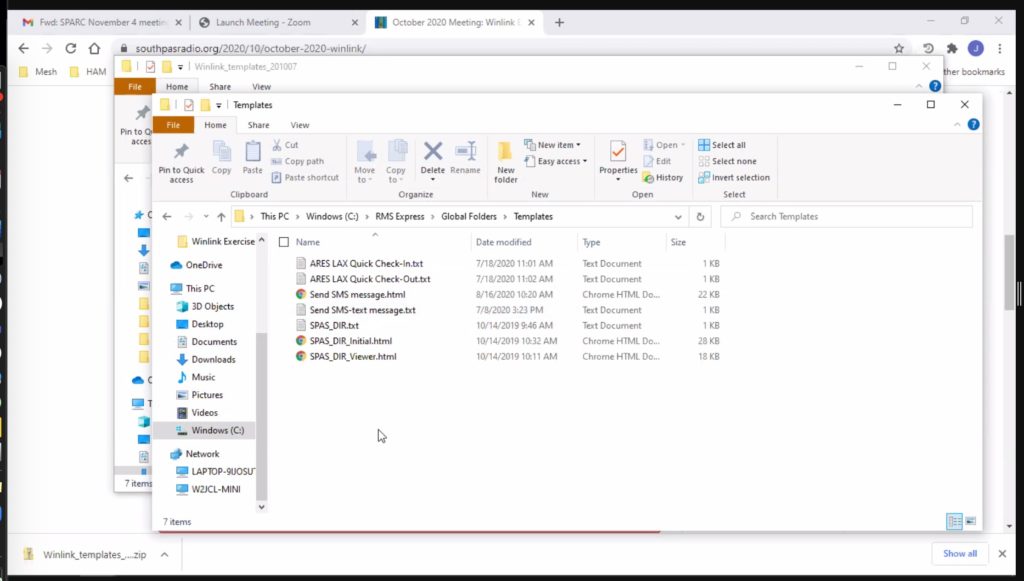
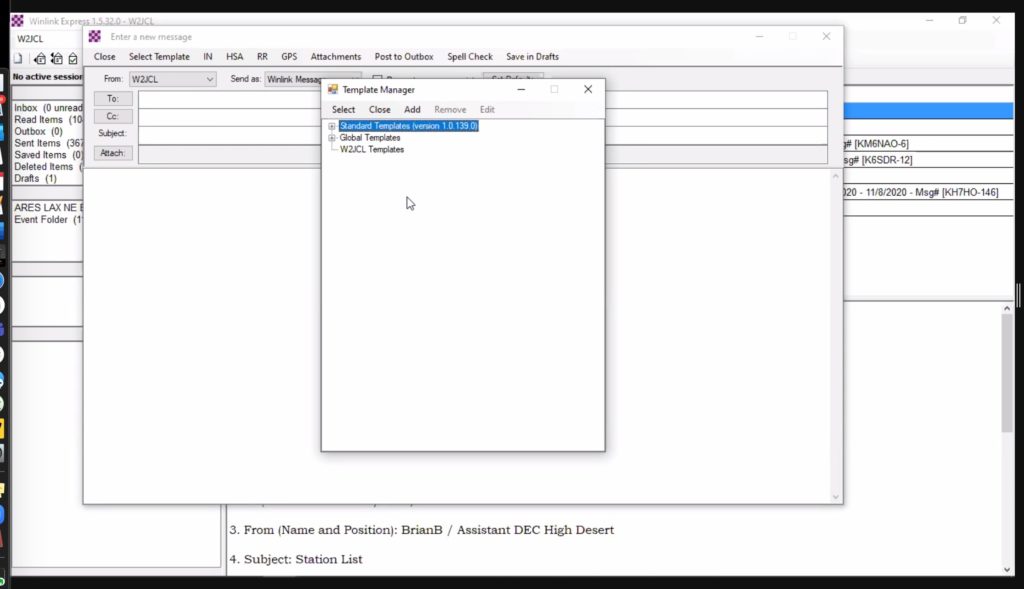
SPARC member Jeff Liter W2JCL also returned to review how to add custom templates to Winlink. As seen in the below screenshot, you should store custom templates on a Windows computer in the directory C:\RMS Express\Global Folders\Templates

To select a custom template as you compose your message in Winlink Express, you will find it within the Global Templates folder as seen here:

October 2020 Meeting: Winlink EmComm Tools

Our October meeting featured not only a presentation on antenna analyzing tools by Allen Wolff KC7O, but also Jeff Liter W2JCL discussing how to use Winlink during emergencies.

Jeff illustrated six Winlink templates that could be useful in an emergency:

  • South Pasadena Disaster Information Report
  • USGS Did You Feel It? Report
  • ARRL Radiogram
  • GPS/APRS Position Report
  • SMS Text Message
  • Severe Weather Report

Jeff created the South Pasadena-specific form himself and has made it available to all SPARC members.

Click here to download a zip file containing the templates for the SouthPas Disaster Information Report, the ARES LAX Quick Check-In form, and the SMS Text Message template.

Once downloaded and unzipped, install the templates in the following Windows directory:
C:\RMS Express\Global Folders\Templates

Click here to download Jeff’s full presentation (1.5 Mb PDF).