January 2021 Meeting: YouTube and Ham Radio with Pascal Villeneuve VA2PV

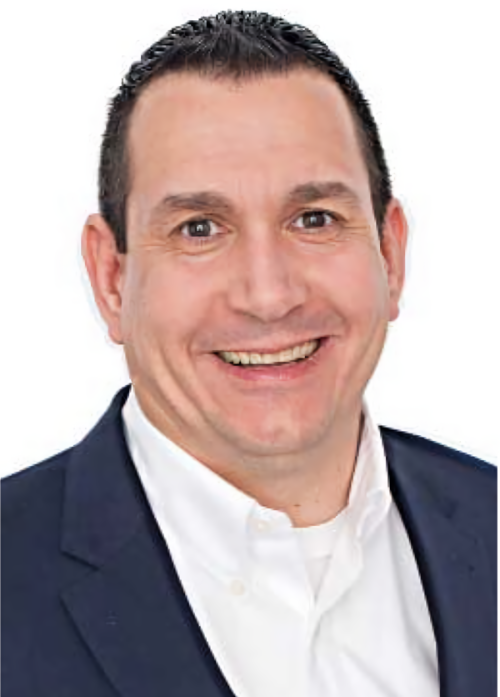
SPARC was excited to welcome Pascal Villeneuve VA2PV as a guest speaker at our January 6, 2021 meeting. Pascal is known for his frequent reviews in QST magazine and for his in-depth YouTube videos covering gear, technique, and hamfests. Pascal spoke about how to get started creating ham-related videos for YouTube. Highlights included:

What kind of content on your channel is most popular? Reviews of the latest gear often lead to new subscribers, but those videos have a limited shelf life. Evergreen instructional content gets more views over time.

What is your workflow? Pascal recommends starting with the tools you already have and using free software until your needs expand. For example, DaVinci Resolve is a free, professional-level editing program. Pascal’s editing program of choice is Pinnacle Studio, which charges a one-time fee.

What is the ideal length of a video? YouTubers tend to believe that they cannot monetize anything shorter than ten minutes. But the ideal length depends upon the subject of the video. And it doesn’t matter how short a video is if it’s jittery, so use a gimbal for stabilization.

Do you storyboard? Yes, but the videos rarely turn out as planned. Pascal likes to work off a script. His most carefully scripted piece was a 2017 documentary The DXer and the Technician.

Any mistakes to watch out for? Don’t get into arguments online!

Do you get waivers from people in your videos? Pascal tends to film in public places like hamfests where there are posted notices about recordings. But he also edits thoughtfully to avoid embarrassing anyone.

Do you make any money from your channel? Yes, approximately US$200/month based on an average of 40k views/month. YouTube content is not a great way to make money. His most-viewed video is a review of the Kenwood TS-990 which has (as of January 2021) 98k views, and it has earned CN$380 over five years. He estimates it takes a minimum of 20 hours to create a video.

Any hints for recording video outdoors? Beware of backlighting. The camera on an iPhone is more than sufficient to record outdoors. If you want to invest in a dedicated 4K camera, the Sony ILCE6400 has one of the fastest auto-focus features.

What would you suggest as a question or subject to a get a club started making videos? Have club members share their projects. And don’t feel bad if the first videos aren’t professional. You’ll get better with practice. “If you’re not good at shooting videos, you better be good at editing videos.” He recommends using Open Broadcaster Software’s OBS Studio for screen capturing in 4K. “Don’t aim your camera at your computer screen.” Clubs could also start with a video answering the most commons questions from new members or people looking to join the club.

Show us your set up. Pascal explained much of the equipment in his shack studio and stressed the importance of three-point lighting.

What proportion of your videos are in French vs. in English? Pascal assumed he’d post all his content in English, but MFJ requested a French video. He now produces all his videos in both French and English versions. The videos in French receive about two-thirds of the views of the English ones, likely because there are few other channels posting ham radio content in French.

“All YouTubers are ashamed of their first video. And in five years, we’ll be ashamed of the videos we make today.”

It’s only appropriate that we recorded Pascal’s presentation and posted it on our own YouTube channel. We now have a whopping TWO videos!
December 2020 Meeting: Signal Test from the EOC

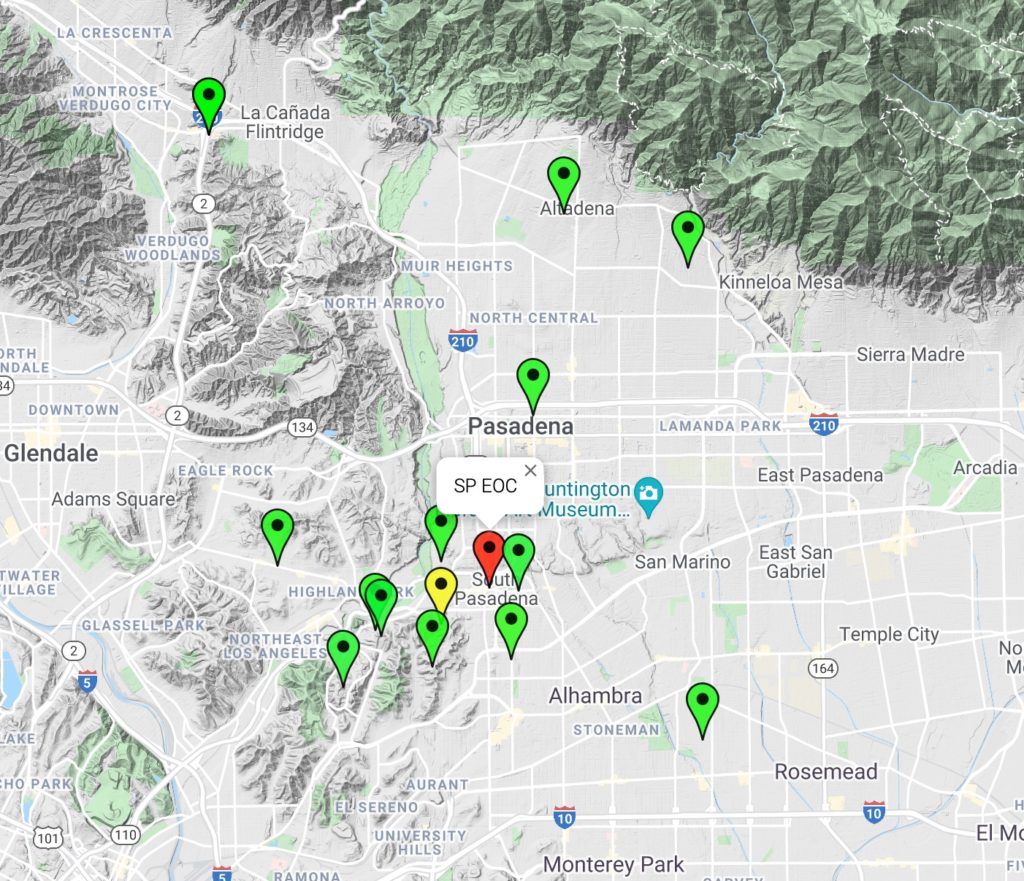
For our December 2020 meeting we ran a test of the ham station installed at the South Pasadena Emergency Operations Center. By coordinating the test over Zoom, we were able to troubleshoot in real time and share a live map of participating stations. As you can see in the map below, the coverage area from the station was impressive, reaching all the way to Verdugo Hills Hospital. The red pin is the South Pas EOC, the yellow pin is the water tower, and the green pins are station that particpated in the test.

Our hope is to consistently run nets from the EOC once Covid-19 safety protocols are no longer necessary.

November 2020 Meeting: Station Building Part 2 and Winlink Templates

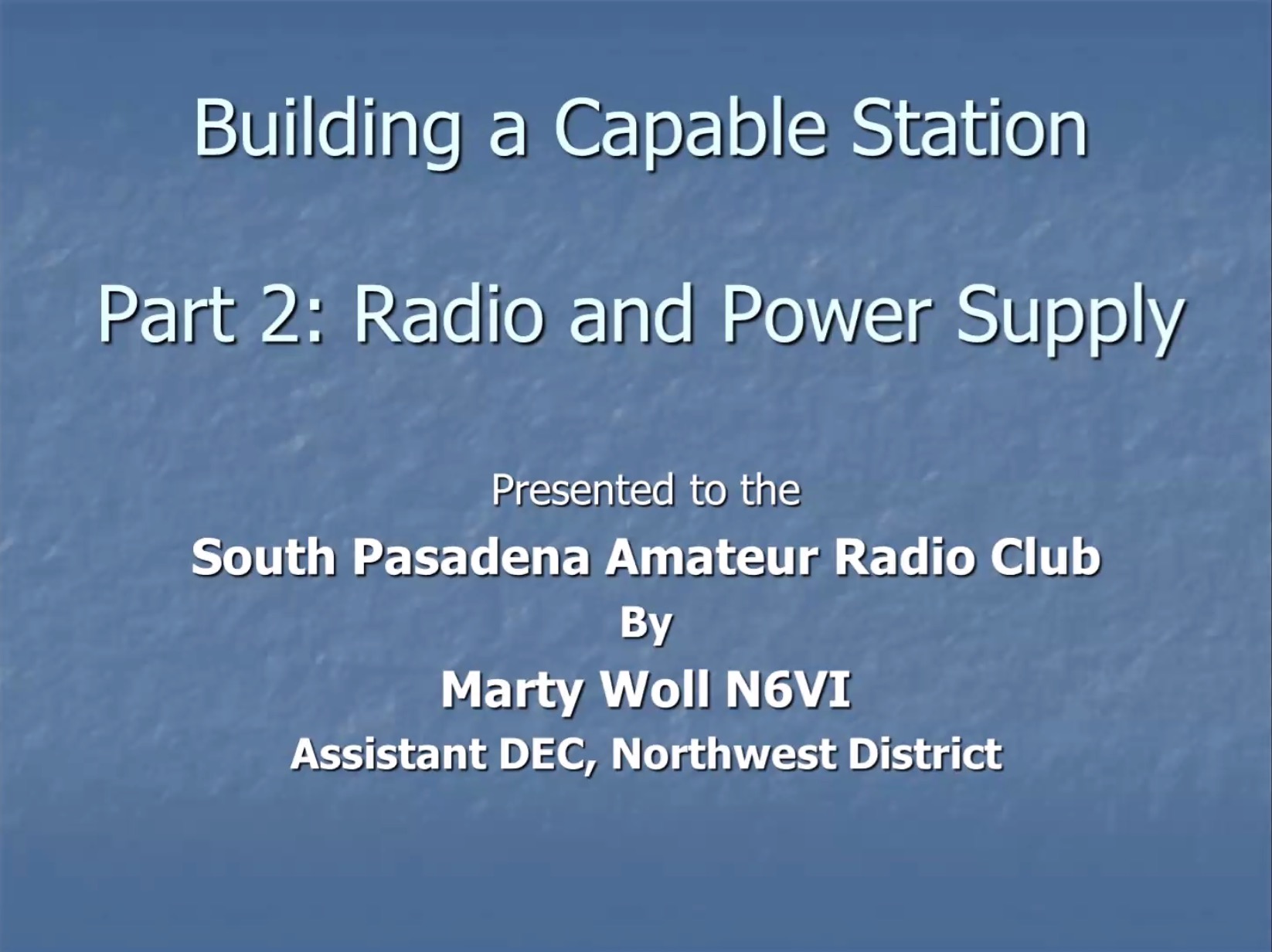
During our November 2020 meeting, Marty Woll N6VI returned to share part two of his presentation on building a capable home station. The primary topics of the presentation were rig selection and power considerations.

Marty concluded by inviting everyone to participate in the weekly ARRL Southwestern Division Net, Sundays at 8 a.m. on 3.965 MHz. (Note that this net is simulcast on the Papa System.)

For those who were not able to attend, a version of Marty’s presentation, recorded in June 2020, is included at the end of this post.

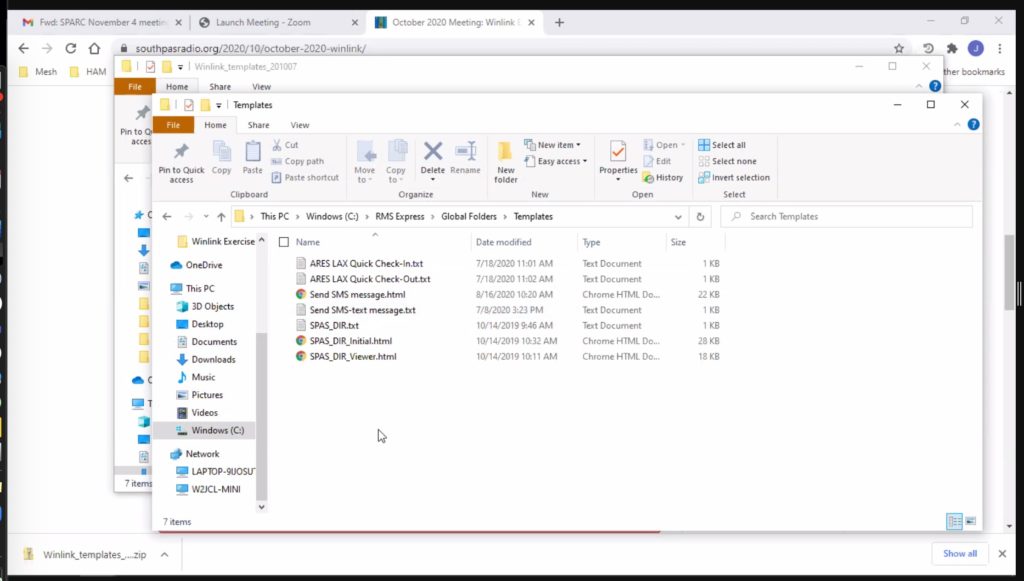
SPARC member Jeff Liter W2JCL also returned to review how to add custom templates to Winlink. As seen in the below screenshot, you should store custom templates on a Windows computer in the directory C:\RMS Express\Global Folders\Templates

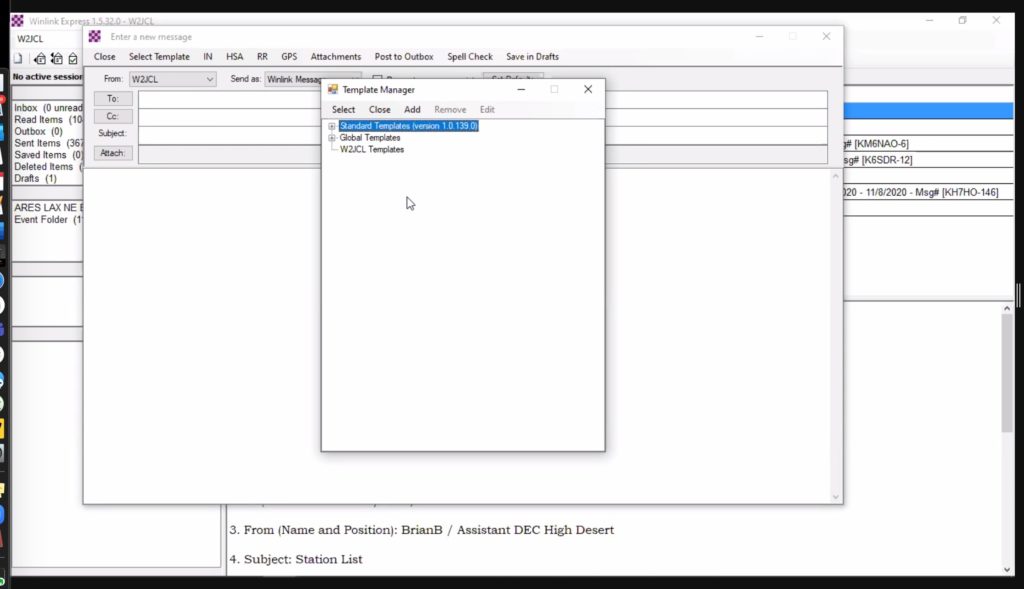
To select a custom template as you compose your message in Winlink Express, you will find it within the Global Templates folder as seen here:

October 2020 Meeting: Winlink EmComm Tools

Our October meeting featured not only a presentation on antenna analyzing tools by Allen Wolff KC7O, but also Jeff Liter W2JCL discussing how to use Winlink during emergencies.

Jeff illustrated six Winlink templates that could be useful in an emergency:

  • South Pasadena Disaster Information Report
  • USGS Did You Feel It? Report
  • ARRL Radiogram
  • GPS/APRS Position Report
  • SMS Text Message
  • Severe Weather Report

Jeff created the South Pasadena-specific form himself and has made it available to all SPARC members.

Click here to download a zip file containing the templates for the SouthPas Disaster Information Report, the ARES LAX Quick Check-In form, and the SMS Text Message template.

Once downloaded and unzipped, install the templates in the following Windows directory:
C:\RMS Express\Global Folders\Templates

Click here to download Jeff’s full presentation (1.5 Mb PDF).

October 2020 Meeting: Analyze This

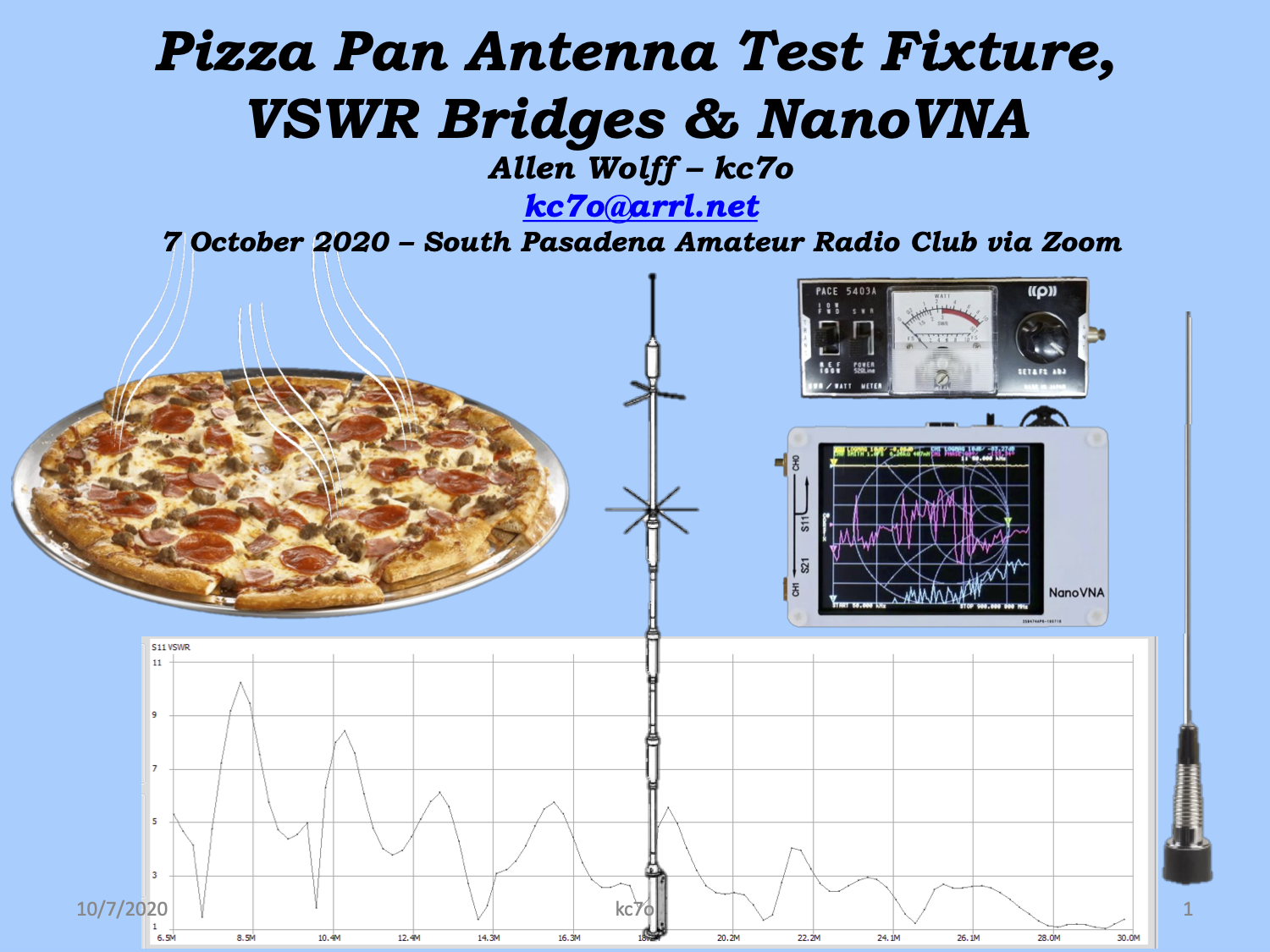
At this month’s Zoom meeting, Allen Wolff, KC7O presented “Pizza Pan Antenna Test Fixture, VSWR Bridges & NanoVNA.” He explained the differences between SWR bridges, antenna analyzers, network analyzers and the NanoVNA (vector network analyzer). He also illustrated how a humble pizza pan can be used to help test the characteristics of an antenna.

Click here to download Allen’s presentation (5.5 Mb PDF).

August 2020 Meeting: The Case for Winlink

SPARC’s monthly meeting was held on August 5 via Zoom and featured a presentation by Jeff Liter, W2JCL entitled “The Case for Winlink.” Everyone in attendance was familiar with the basics of Winlink, so Jeff took time to cover some lesser-known features. One such feature is a catalog request, which can return information like a propagation report or weather forecast. The below video from San Diego ARES illustrates how to perform a catalog request.

Jeff also discussed how to send an SMS text message via Winlink. You can send a short email that will appear as a text message if you know your contact’s phone number and their carrier’s email-to-text address. This article from Lifehacker lists the email-to-text addresses of most major phone carriers.

Click the title page below to download Jeff’s presentation as a PDF.

The lastest versions of the software mentioned in Jeff’s presentation (as of 08/05/20) are listed here:

Winlink RMS Express – version 1.5.30.0
Soundmodem – version 1.05
VARA FM – version 3.1.1
VARA HF – version 4.0.4

If you’re new to Winlink, Jeff’s presentation is the perfect place to start. Then, check out this introduction from 2017 and download the Winlink Book of Knowledge FAQ, which has all the information you need.

Another great resource is this recent video hosted by Oliver Dully, K6OLI who is the coordinator of our local ARES (Amateur Radio Emergency Service) section, LAX Northeast. Oliver explains how ARES uses Winlink for emergency communications:

Here’s another video introduction as described in the July ARRL ARES newsletter. On June 6, 2020, Phil Sherrod, W4PHS, a Winlink developer, gave an excellent presentation on Winlink and how to use it. A Zoom audience of five hundred saw the Winlink presentation.

Finally, there has been a lot of excitement in the Winlink user community over a recent addition to the program: a way to submit data directly to the U.S. Geological Survey’s “Did You Feel It?” system. Again quoting the ARES newsletter…

On July 9, the ARES/Section Emergency Coordinators … hosted an excellent Zoom presentation on the radio amateur’s role in the United States Geological Survey (USGS) Did You Feel It (DYFI) reporting system. The speaker was Oliver Dully, K6OLI, who captured the audience of some 67 coordinators across the country with his galvanizing presentation.

Jeff W2JCL will discuss the development and use of the “Did You Feel It?” form in more detail at an upcoming SPARC meeting.

June 2020 Meeting: Options for Field Day

SPARC held its first-ever online monthly meeting on June 3, 2020. Until further notice, monthly meetings will be held via online conference systems like Zoom and Google Meet.

Our topic was how to prepare for Field Day 2020. If you haven’t already, mark your calendar for June 27 and 28.

Social-distancing measures prevent us from joining our friends from other local clubs for a joint Field Day operation as in years past. But Field Day can still be an exciting and rewarding opportunity to get on the air. The ARRL has made a rule change for 2020 that will let individual operators “associate” with a club and have their individual scores printed together in QST magazine. The scores will not be totaled; it’s merely a show of club spirit. (Note that if you choose this option, you should associate with “South Pasadena Amateur Radio Club” as opposed to “SPARC” because there are probably dozens of clubs with that acroynm across the country. There’s even another SPARC in South Pas!)

Below is a presentation from the meeting with more detail. As the presentation states, reading it is no substitute for reading the full Field Day rules published by the ARRL. If you have any questions, don’t hesitate to email contest@southpasradio.org for help. We’re eager to have as many members as possible participate. Hope to hear you on the air!

Click here to download the presentation (282 KB).

Monthly Meetings Temporarily Suspended

EOC Banner

Due to the COVID-19 outbreak, SPARC is temporarily suspending monthly in-person meetings. This is part of a community-based effort to slow the spread of the coronavirus. Please note that our regular meeting location, the Emergency Operations Center at the South Pasadena Fire Department, will not be accessible to the public.

Effective Monday, March 16, all city facilities will be temporarily closed to members of the public except for public meetings of the City Council, the Cultural Heritage Commission, Planning Commission and Design Review Board, which will continue to meet to ensure the approval of projects move forward as required by law.

City of South Pasadena

We will continue to hold our weekly on-air nets on Wednesday nights at 7:30 pm. We will announce any additional club activities (on-air or online) via email and this website.

Click here for more information on the city’s response to COVID-19.

Follow the LA County Public Health Department on Twitter.

Oliver Dully, K6OLI, District Emergency Coordinator for ARES LAX Northeast, suggests the following activities for radio operators looking to sharpen their skills while “social distancing”:

– Take FEMA online courses 
– Complete the ARRL’s online introduction to emergency communication, EC-001 
– Use Winlink more regularly
– Improve your map reading skills: https://www.maptools.com/videos and https://www.maptools.com/tutorials
– Play with HF

On behalf of SPARC, stay safe and healthy, everyone!

March Meeting Wrap-Up: All About 220

Diana AI6DF

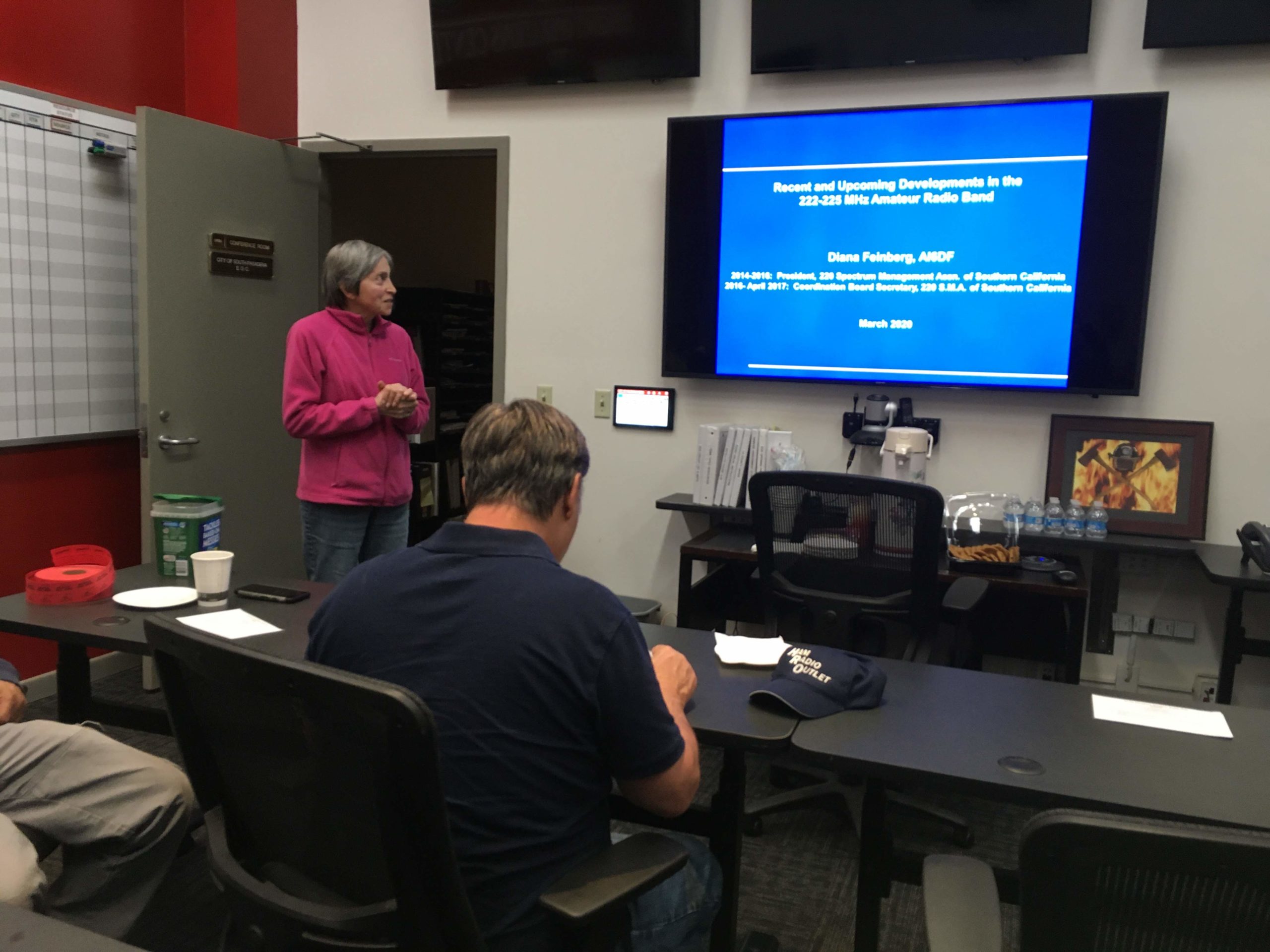
SPARC welcomed ARRL LAX Section Manager Diana Feinberg AI6DF to our monthly meeting on March 4. Diana spoke about recent leadership changes at ARRL headquarters and gave a presentation about the state of “220,” a lesser-used VHF band. Our amateur privleges on the band are between 222 MHz and 225 MHz, but we refer to the band colloquially as 220.

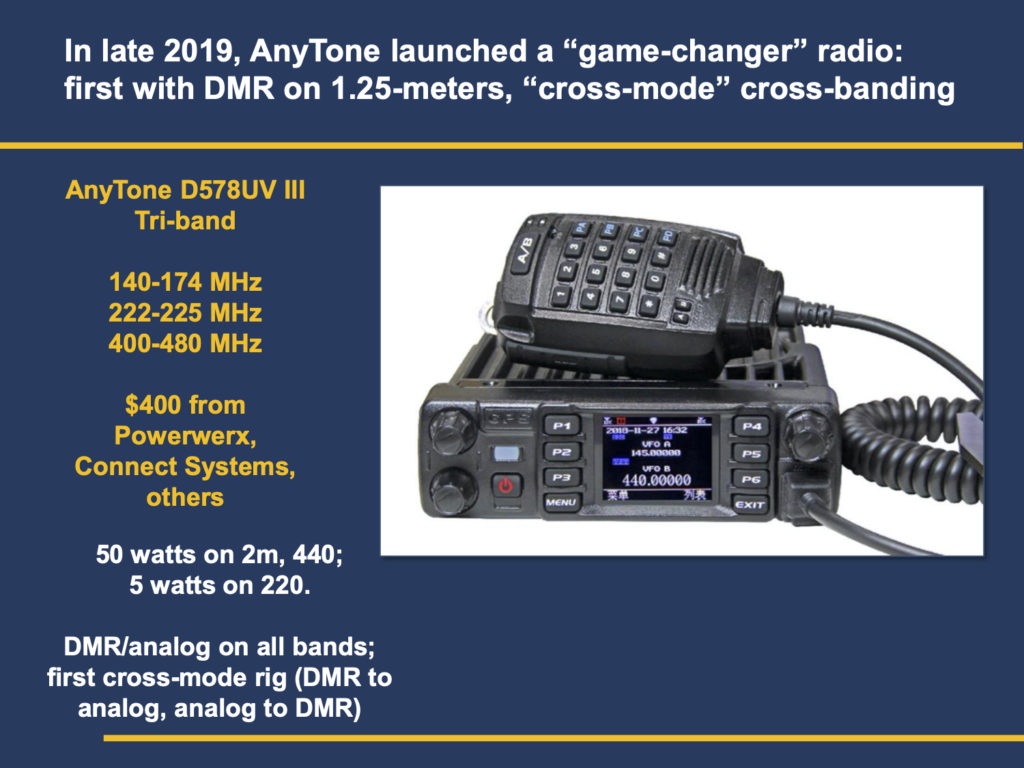
One of the radios discussed in the presentation.

Diana has graciously offered to share the presentation on our site. It can be downloaded here (581 kb PDF).

Presentation on the 220 Band by Diana Feinberg AI6DF
Click to download the presentation.

SPARC thanks Diana for her expertise and perspective. Several attendees left the meeting inspired to operate on 220 more often.